CIO Annual Calendar Kit
Most CIO calendars are built one invitation at a time, so the clashes, the crunch weeks and the papers due in the August break are found too late. This kit builds the year from rules: every forum the CIO runs or feeds generated from its cadence, the budget, strategy, talent, risk, vendor and regulatory cycles laid alongside, every paper back-scheduled from its meeting in working days, the load week by week, the clashes with the CIO's travel, the CIO's time against a target allocation, the CIO Office that runs it and the CIO Helm kit that supports each item, all filled in for a worked example.
$89 $45 one-time, no subscription
Excel, PowerPoint and Word files. Yours to use and adapt inside your organisation. Delivered by email at once; 14-day refund promise.
12 working files, not a slide pack to read
Every file is editable and comes with a worked example for one fictional company, so you start from something, not from a blank page. Workbooks calculate as you type.
 Excel
CIO annual calendar workbook
12 sheets with Start here: setup with holidays, the closure, the break and the CIO's time away, forums with cadence rules, fixed dates and exceptions, the generated calendar with conflicts, deliverables back-scheduled in working days, cycles with notice dates, the forward agenda, the year on a page, weekly load and crunch weeks, the CIO time budget and a kit map. A dashboard shows the next 90 days, load by month, conflicts and the checks.
 PowerPoint
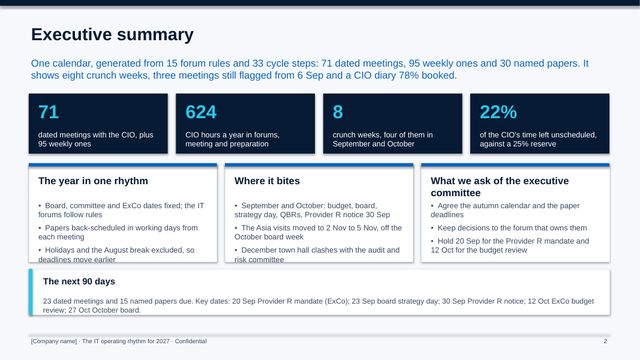
The IT operating rhythm for 2027
13 slides for the executive committee and the IT team: the year on a page, the forums and their rules, the budget cycle, back-scheduling, load by month, the autumn crunch, the CIO's time, the clashes, what we need from the executive committee, the CIO Office and the decisions.
 PowerPoint
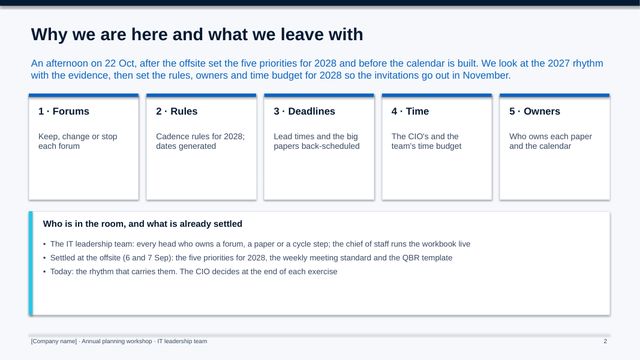
Annual planning workshop
11 slides for the IT leadership team: the year so far and five exercises, from keep, change or stop for each forum to cadence rules, lead times, the time budget and owners.
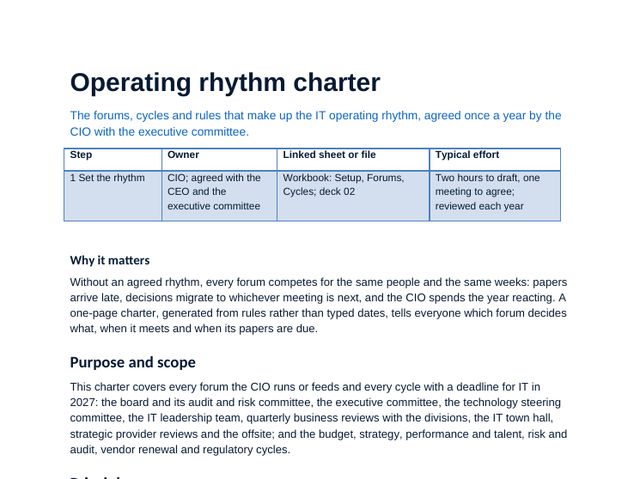 Word
Operating rhythm charter
Principles, every forum with its rule, chair, purpose and lead times, the cycles, scheduling rules, decision rights and a forward agenda annex.
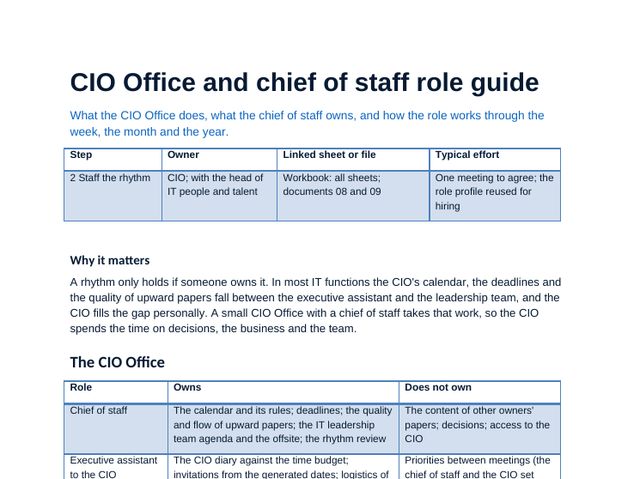 Word
CIO Office and chief of staff role guide
What the CIO Office does and does not do, the chief of staff role, the weekly and monthly routine, incident mode, communications, interview questions and how to measure it.
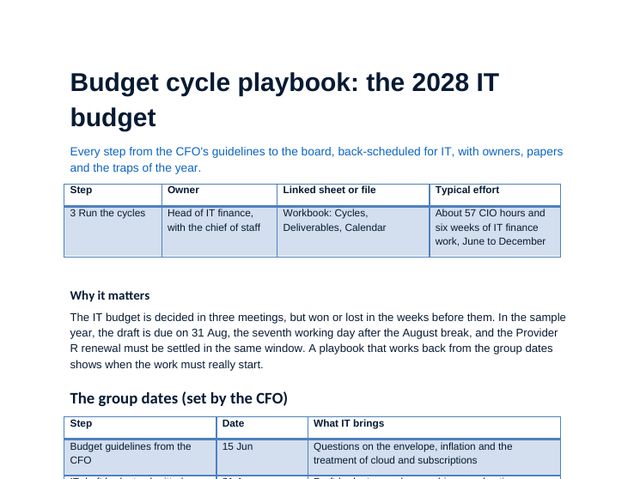 Word
Budget cycle playbook
The 2028 budget from guidelines to board approval: steps, dates, owners and papers, three scenarios, the capital and operating split, negotiating the envelope and the traps in each step.
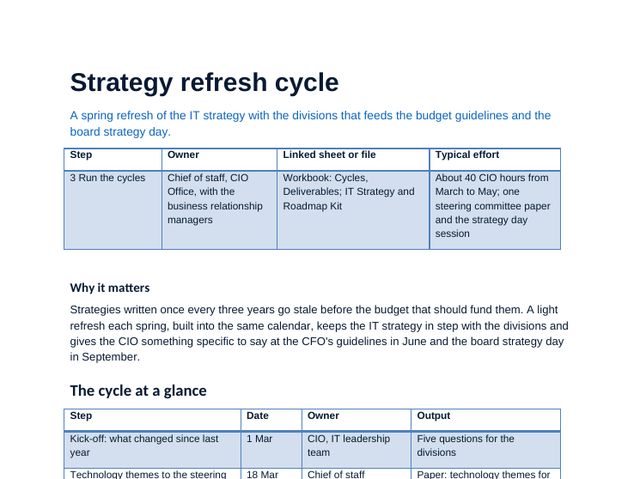 Word
Strategy refresh cycle
The yearly refresh with the divisions from March to May: inputs, steps, outputs, templates and how it feeds the budget.
 Word
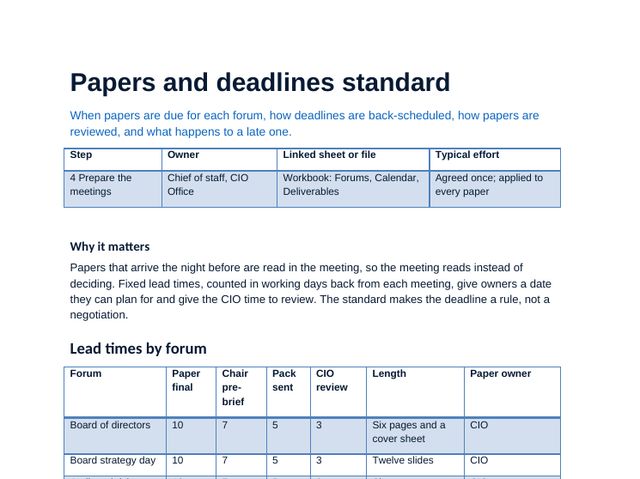
Papers and deadlines standard
Lead times by forum in working days, chair pre-briefs, the August break, the late paper rule, a filled cover sheet and the paper checklist.
 Word
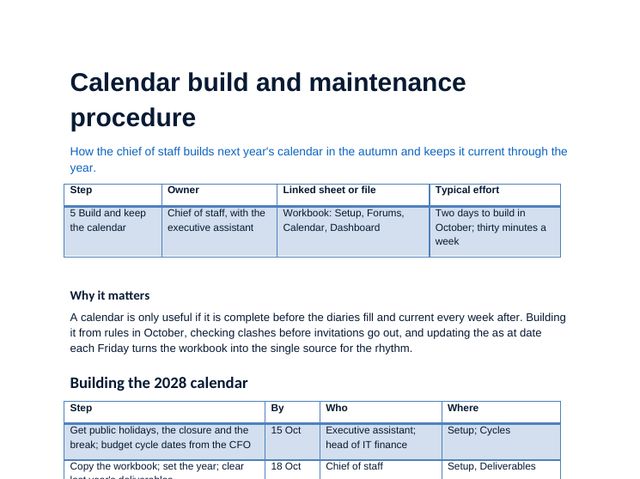
Calendar build and maintenance procedure
How to build next year's calendar from the rules in October, invitation conventions, the weekly check and a worked re-plan.
 Word
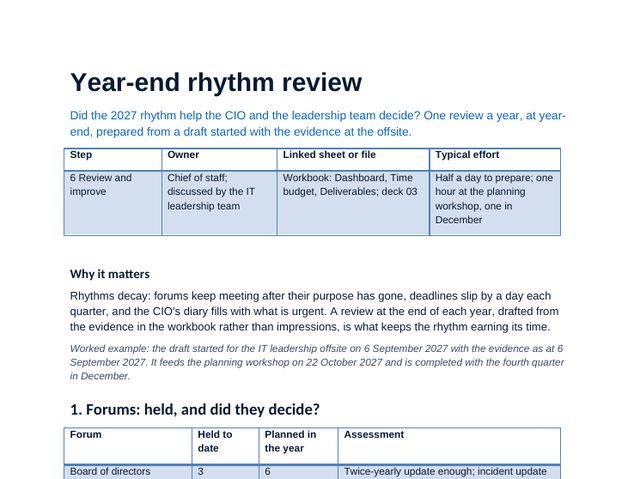
Year-end rhythm review
The filled review of 2027: what held, what slipped, the CIO's time against the target and the 2028 rule changes, tested for clashes.
 PDF
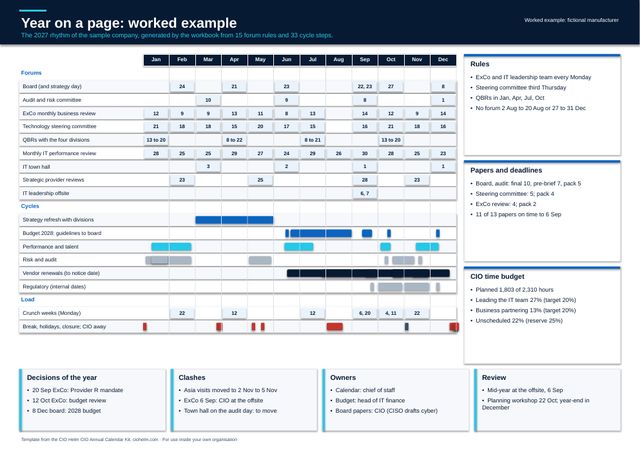
Year on a page canvas (A3)
The CIO's year on one A3 page: a blank template to fill in November and a worked example.
 Guide
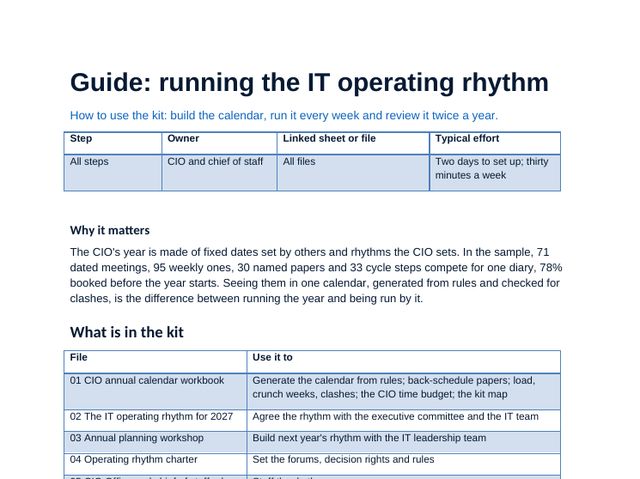
Running the IT operating rhythm
The method in steps with tips and pitfalls, a sample timetable, using the workbook and the mistakes to avoid.
CIO annual calendar workbook, sheet by sheet
The workbook carries the method: scores, choices and plans calculate as you type, and the dashboard and deck figures come from it. Click any image to see it full size.
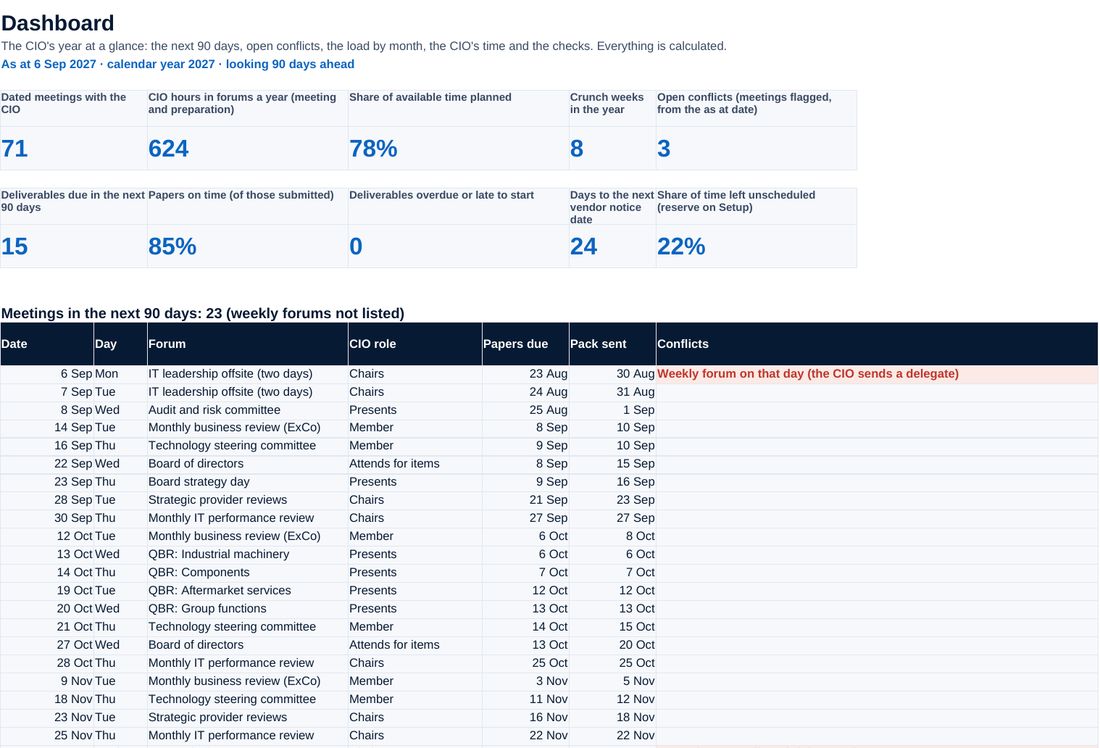
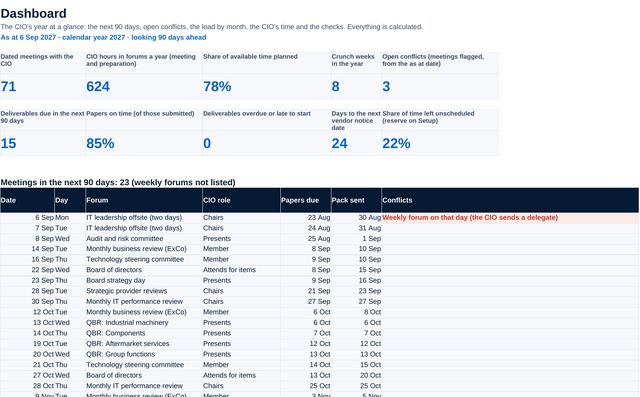
The next 90 days, open clashes, papers on time, load by month, the time budget and the checks, on one page.
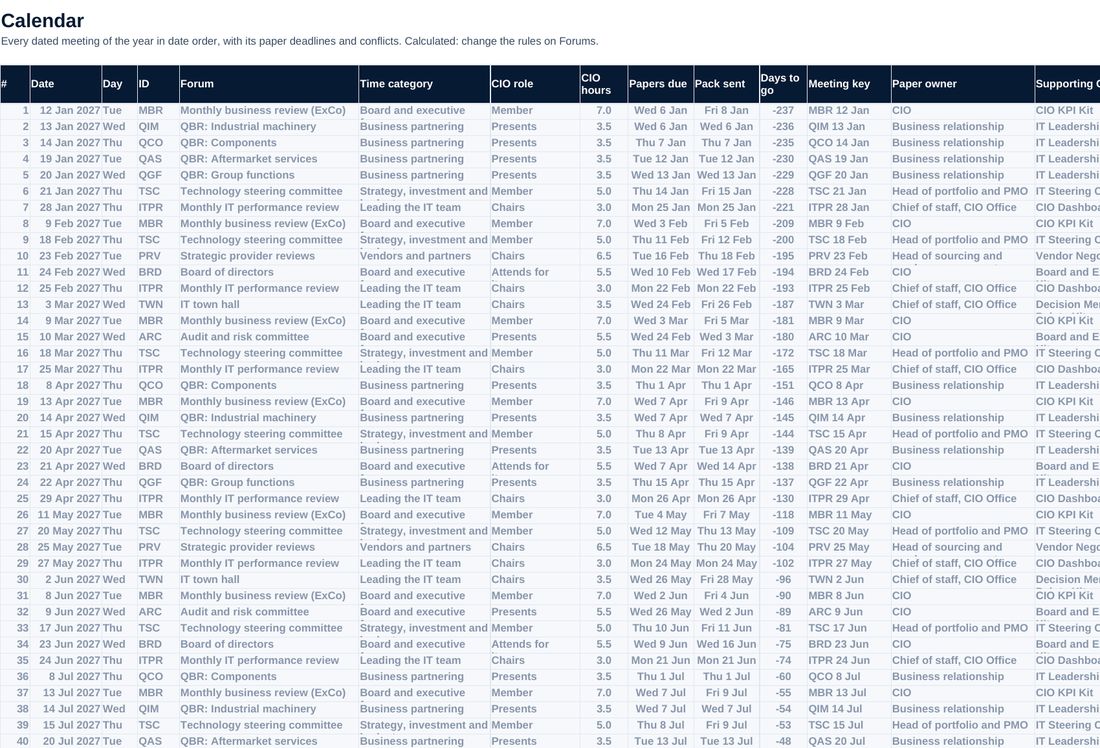
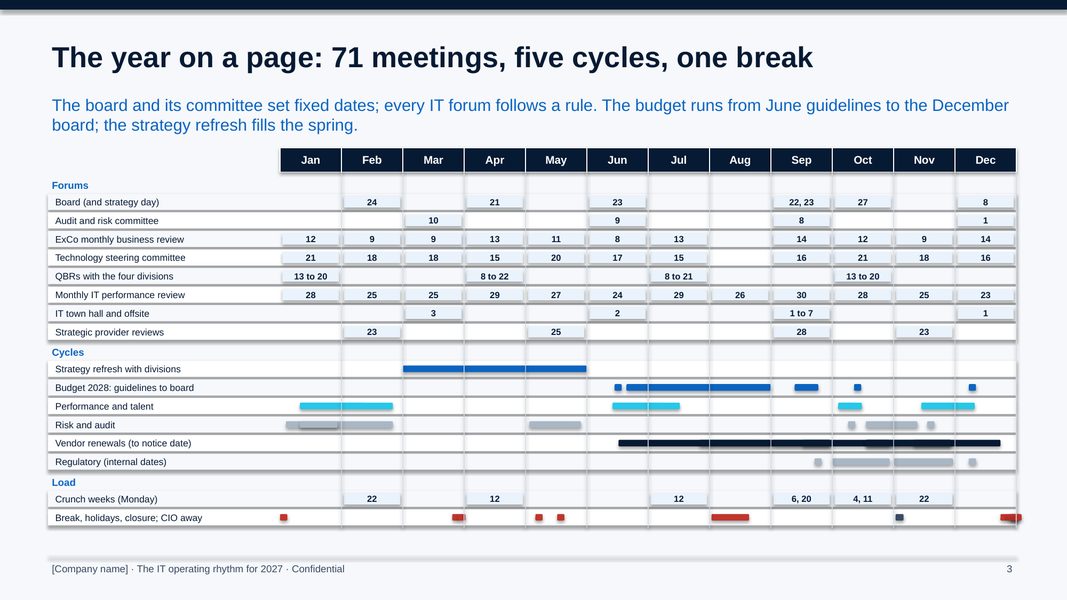
Every dated meeting of the year generated from the forum rules, sorted, with clashes and the CIO's time away flagged.
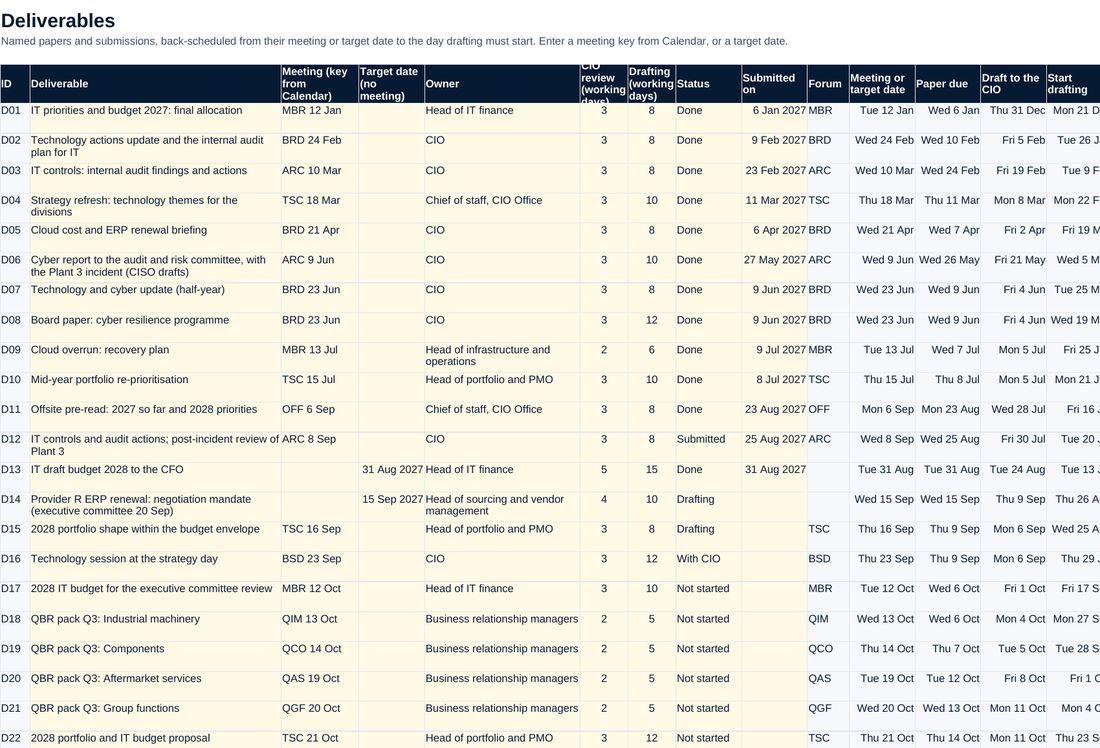
Each paper back-scheduled from its meeting in working days, to the draft-to-CIO date and the day drafting must start, with owner, status and the August break check.
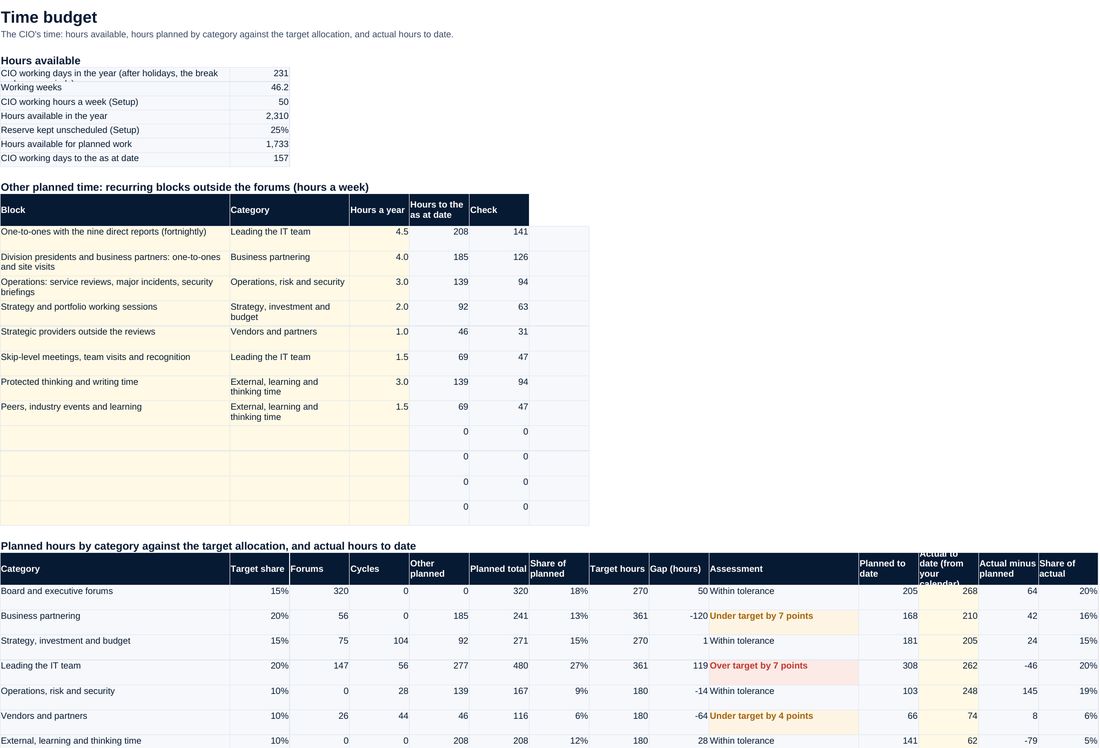
The CIO's planned and actual hours by category against the target allocation and the reserve.
Screenshots of the workbook with its sample data, opened in a spreadsheet application.
A year that is planned, not discovered
The sample company's 2027 rhythm is generated from 15 forum rules and 33 cycle steps: 71 dated meetings and 95 weekly ones. 30 papers are back-scheduled from their meetings, and the calendar finds the clashes before they happen, among them the October board in the week first planned for the CIO's Asia visits. September carries 98.5 forum hours, twice a normal month, with eight crunch weeks in the year. The CIO plans 1,803 of 2,310 hours, 70 hours into the reserve, and the plan leans to the IT team at 27% against a target of 20% while business partnering sits at 13% against 20%.
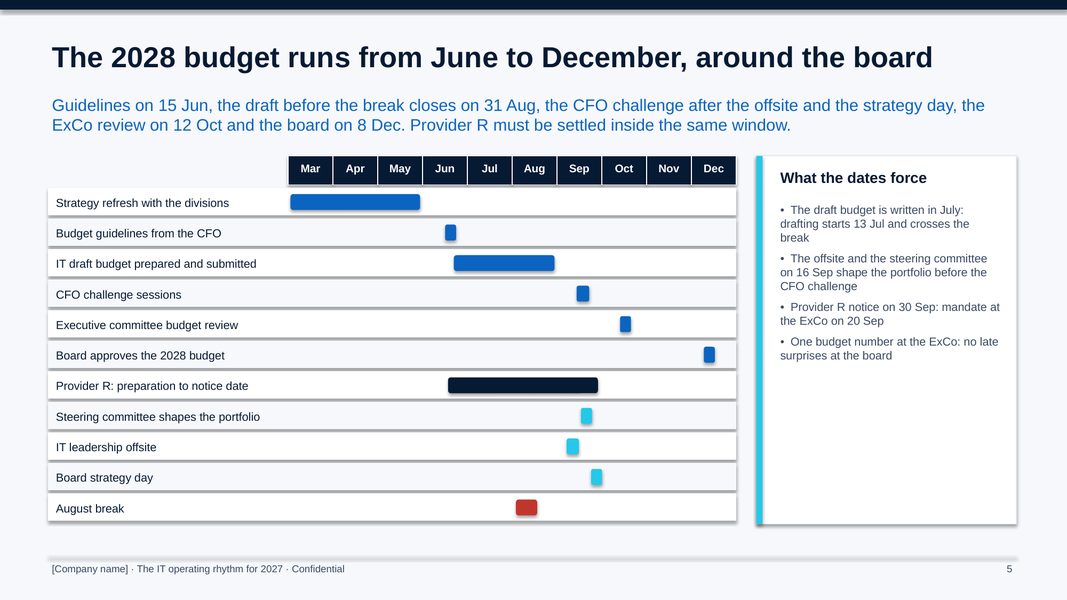
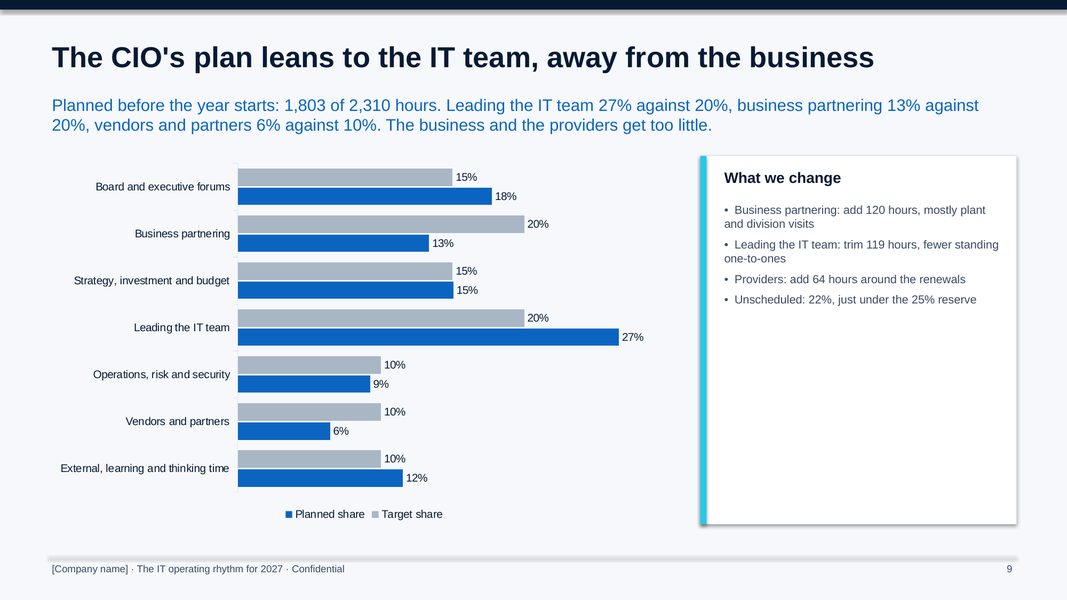
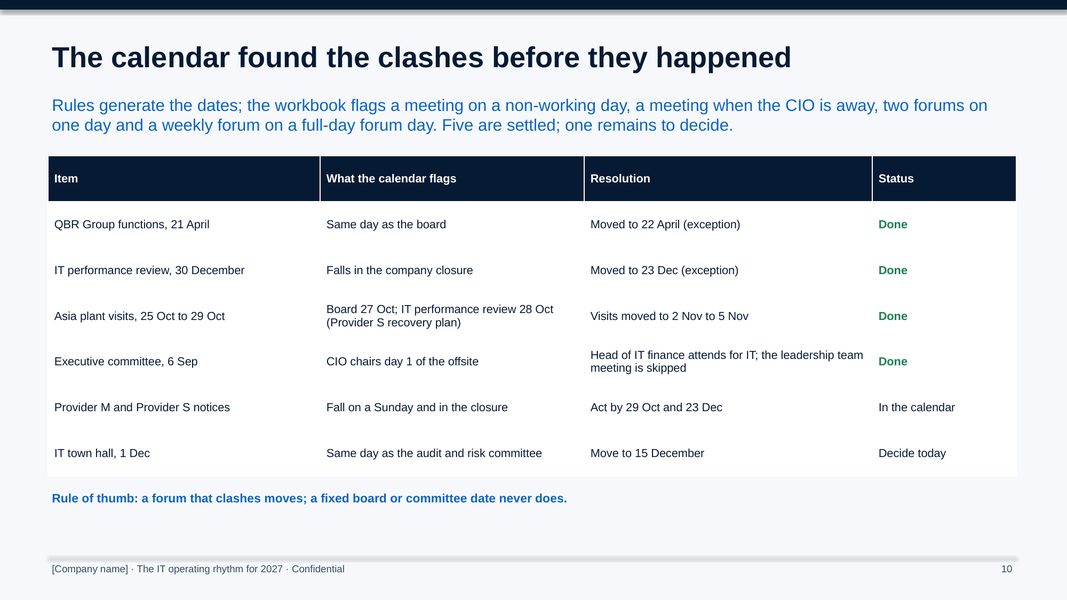
All figures shown are sample data.
The method, step by step
Agree the forums, their cadence rules, the fixed dates from the company secretary, the holidays, the break and the lead times.
Generate the calendar, back-schedule the papers, fix the clashes and crunch weeks, set the time budget and send the invitations by mid-November.
The CIO Office checks the next 90 days, chases papers, logs changes and tracks the CIO's time against the target.
Review the rhythm at the offsite and in the year-end review, and change the rules for next year.
Who it is for
- CIOs who want their year planned from rules rather than discovered one invitation at a time
- Chiefs of staff and CIO Office leads who run the calendar and the papers
- IT leadership teams setting next year's operating rhythm
- Advisers setting up an operating rhythm for a client (one licence per client organisation)
What you need
Excel, PowerPoint and Word, or compatible software. About two days to build next year's calendar in October, then thirty minutes a week to keep it current.
Free guides on this topic
Questions about the kit
How is it different from the IT Steering Committee Toolkit?
The steering committee toolkit runs one committee, with its own forward plan. This kit plans every forum and cycle the CIO runs or feeds in one calendar, so the steering committee dates sit alongside the board, the budget and the rest of the year.
Can we change the forums, rules and lead times?
Yes. Forums, cadence rules, fixed dates, exceptions, holidays, the break, lead times, the time budget and its targets are all inputs; the calendar, back-schedule, load and dashboard follow.
Does it work for a year that is already under way?
Yes. Set the as at date and the dashboard shows the next 90 days, papers on time, open clashes and the hours used to date.
Is the company in the example real?
No. The manufacturer and its figures are fictional. Replace them with your own.
How do I get it?
Checkout is run by Creem, our reseller and merchant of record, which also handles tax and your invoice. As soon as the payment is confirmed we email you a private link to download the kit. Not what you expected? Ask within 14 days for a full refund.
Is it legal or financial advice?
No. The templates are practical starting points for management decisions. Have policies and contracts reviewed against the law that applies to your company.
Who can use it?
You and your colleagues, inside your own organisation. Advisers need one licence per client organisation. Please do not resell or republish it.