IT Leadership Meeting Packs
In the worked example, the IT leadership team spends about 110 hours a year in its own meetings, and before its offsite only 41% of the weekly meeting went on decisions. This kit sets the system: a charter, four meetings with rules for when they happen, a calendar that generates the dates and moves them off holidays and board days, a forward plan and an agenda builder that puts decisions first, pre-read, decision and action logs that show what is late, a quarterly business review with each division that ends with asks both ways, an offsite designed backwards from its outputs, and a five-question pulse that tells you whether it is working. Everything is filled for a fictional manufacturer, so you can see it working before you add your own.
$89 $45 one-time, no subscription
Excel, PowerPoint and Word files. Yours to use and adapt inside your organisation. Delivered by email at once; 14-day refund promise.
11 working files, not a slide pack to read
Every file is editable and comes with a worked example for one fictional company, so you start from something, not from a blank page. Workbooks calculate as you type.
 Excel
IT leadership meeting packs workbook
14 sheets: setup, a dashboard, the cadence generated from rules with working days, holidays, the August break and clash checks, a sorted meeting register with pre-read and minutes deadlines, an agenda builder with item types and time boxes, a forward plan of items and yearly topics, pre-read, decision and action logs with ageing and RAG, QBR scorecards for four divisions, the QBR asks log, an offsite planner with timings and budget, and the meeting pulse.
 PowerPoint
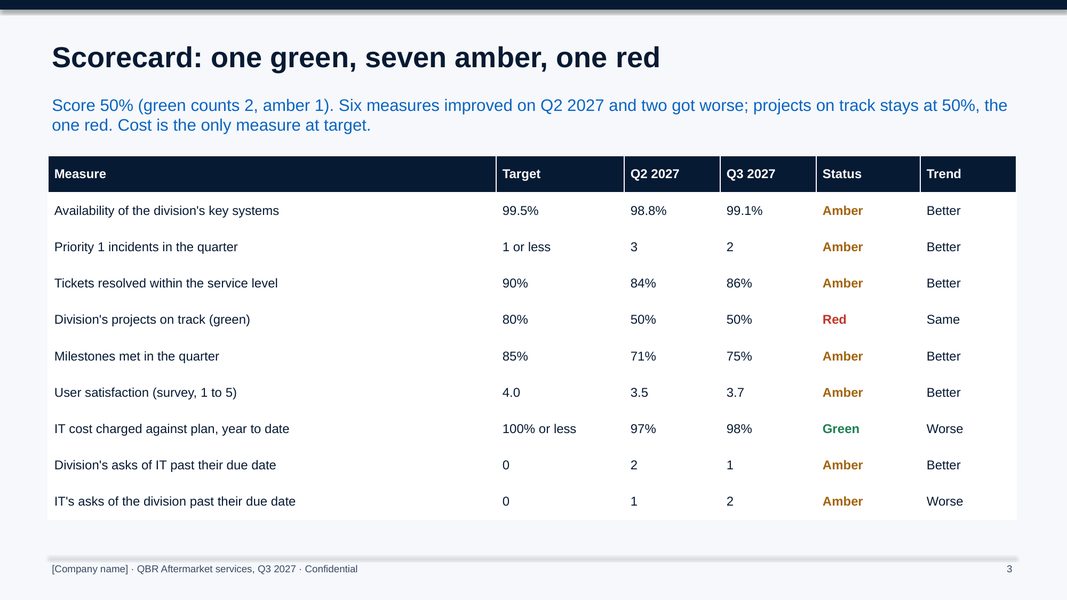
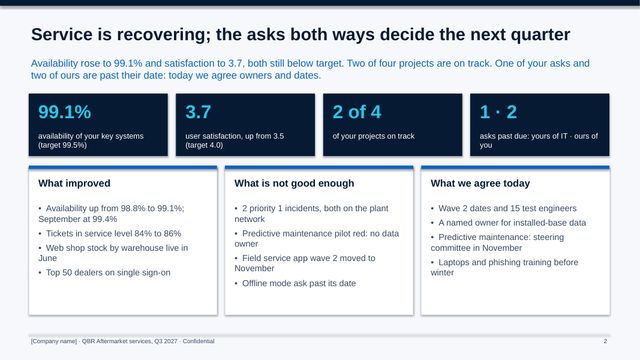
QBR pack: Aftermarket services, Q3 2027
11 slides: the summary, the scorecard, availability, projects, satisfaction, cost and the 2028 ask, the division's asks of IT, IT's asks of the division, the next two quarters and what we agree.
 PowerPoint
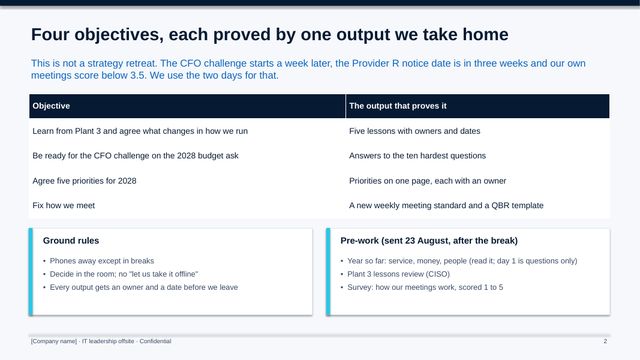
IT leadership offsite, September 2027
14 slides: four objectives and their outputs, the two days at a glance, the year so far, eight sessions with their outputs, the new weekly standard and what the team leaves with.
 Word
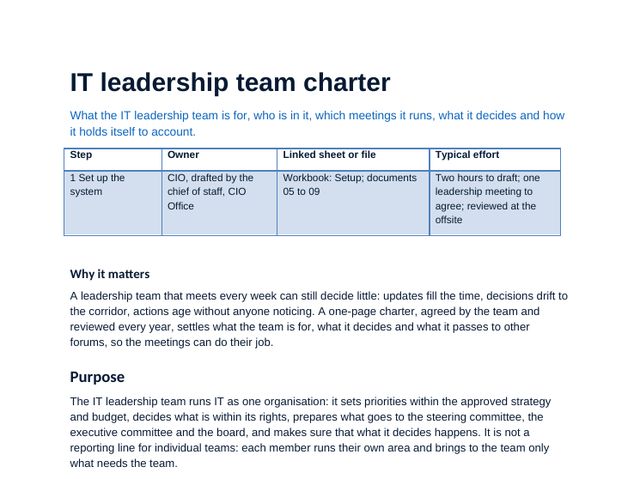
IT leadership team charter
Purpose, members and roles, the four meetings, decision rights, quorum, deputies and attendance, how disagreement is settled, the measures the team holds itself to, and a version and approval block.
 Word
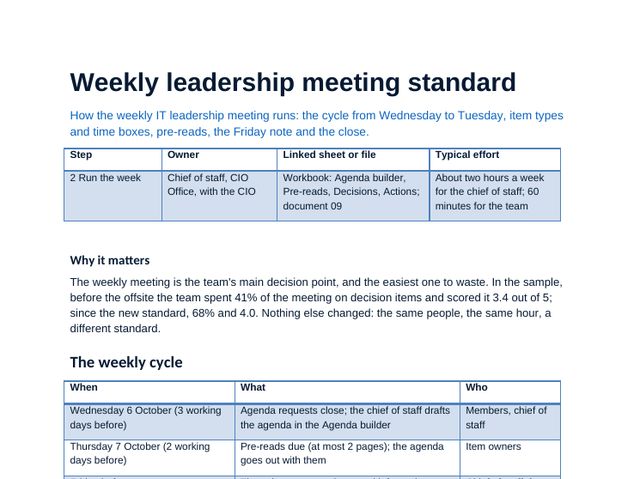
Weekly leadership meeting standard
The weekly cycle from Wednesday to Tuesday, seven item types with time boxes, a filled agenda, the one-page pre-read, the Friday note and the close.
 Word
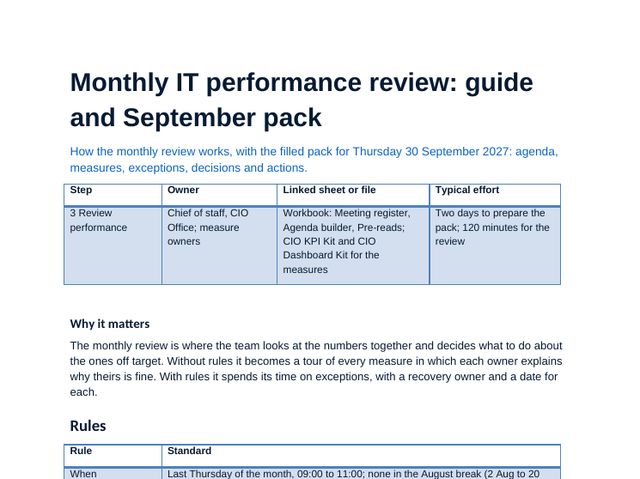
Monthly IT performance review guide and pack
The rules, the dates for the year and the filled September pack: agenda, nine measures, exceptions with recovery, decisions and actions.
 Word
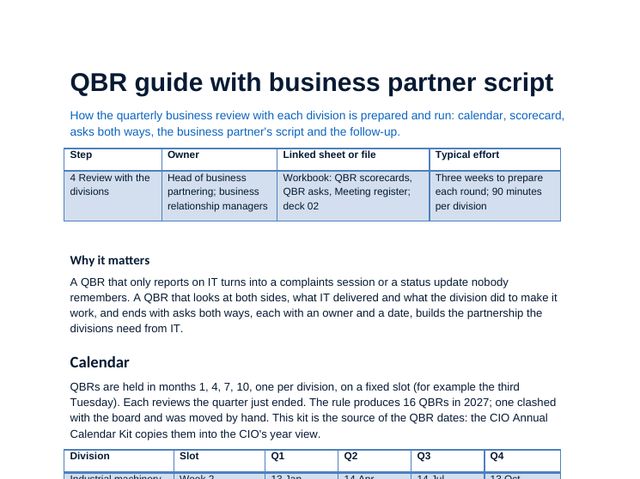
QBR guide with business partner script
The QBR calendar, preparation back-scheduled from the review, who attends, the scorecard with source and owner per measure, a 90-minute run sheet, the business partner script, what to do when it gets difficult and a filled follow-up note.
 Word
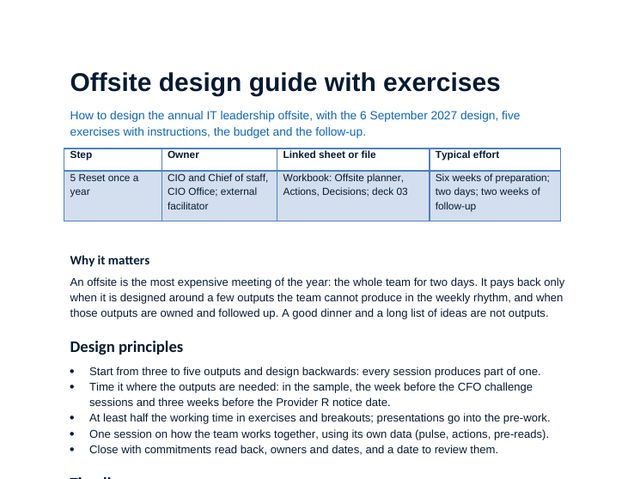
Offsite design guide with exercises
Design principles, the timeline, the two-day design, five exercises with timings, the budget and the follow-up.
 Word
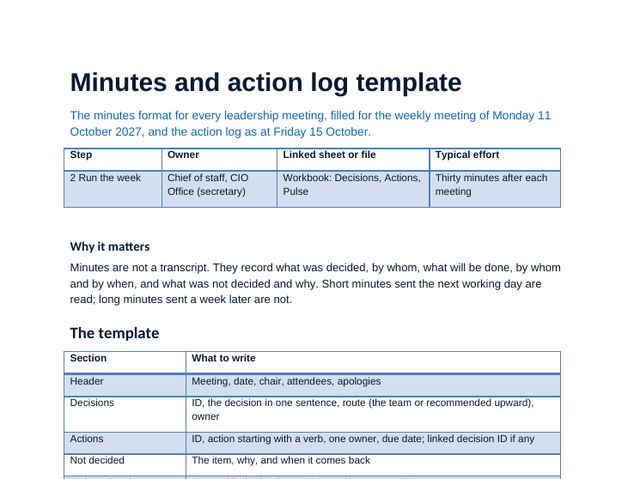
Minutes and action log template
The minutes format, filled for a weekly meeting, and the action log with ageing, re-plans and status.
 PDF
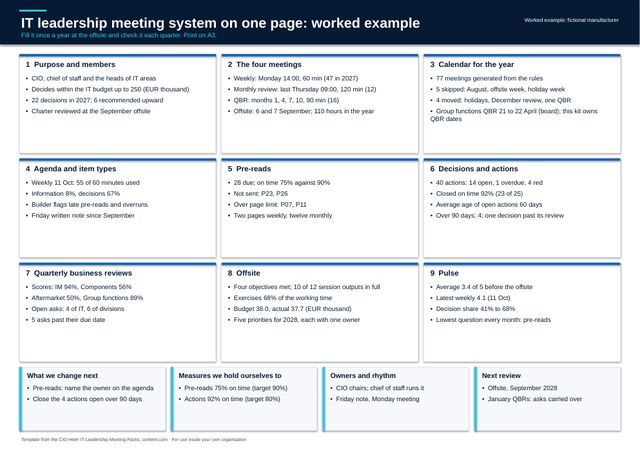
Meeting system canvas (A3)
The meeting system on one A3 page: a blank template and a worked example.
 Guide
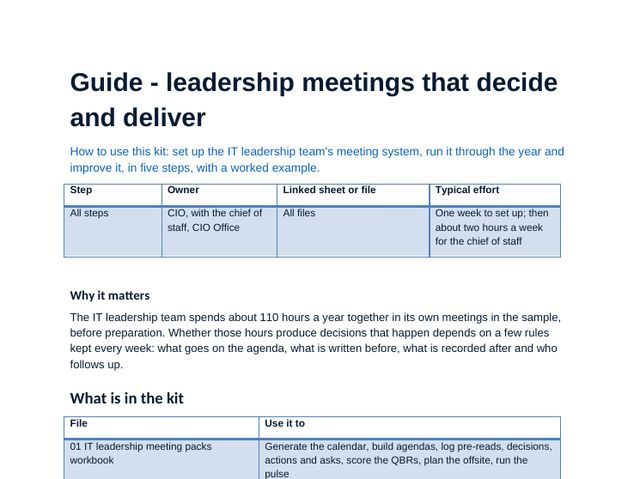
Leadership meetings that decide and deliver
The method in five steps, getting started in one week, the worked example in numbers, related kits and the pitfalls.
IT leadership meeting packs workbook, sheet by sheet
The workbook carries the method: scores, choices and plans calculate as you type, and the dashboard and deck figures come from it. Click any image to see it full size.
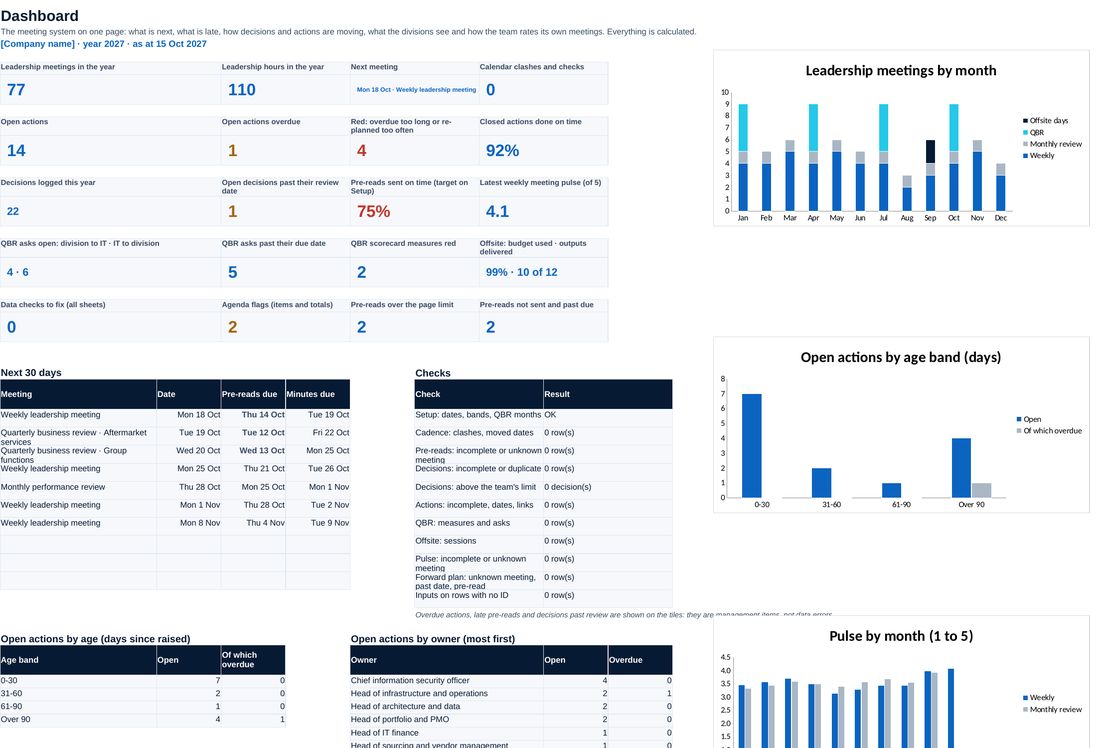
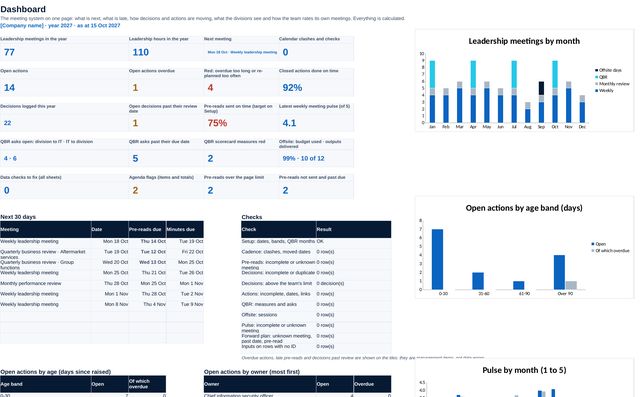
The year in one view: meetings and hours, the next meeting, open and overdue actions, pre-reads on time, QBR scores and asks, the offsite and the pulse.
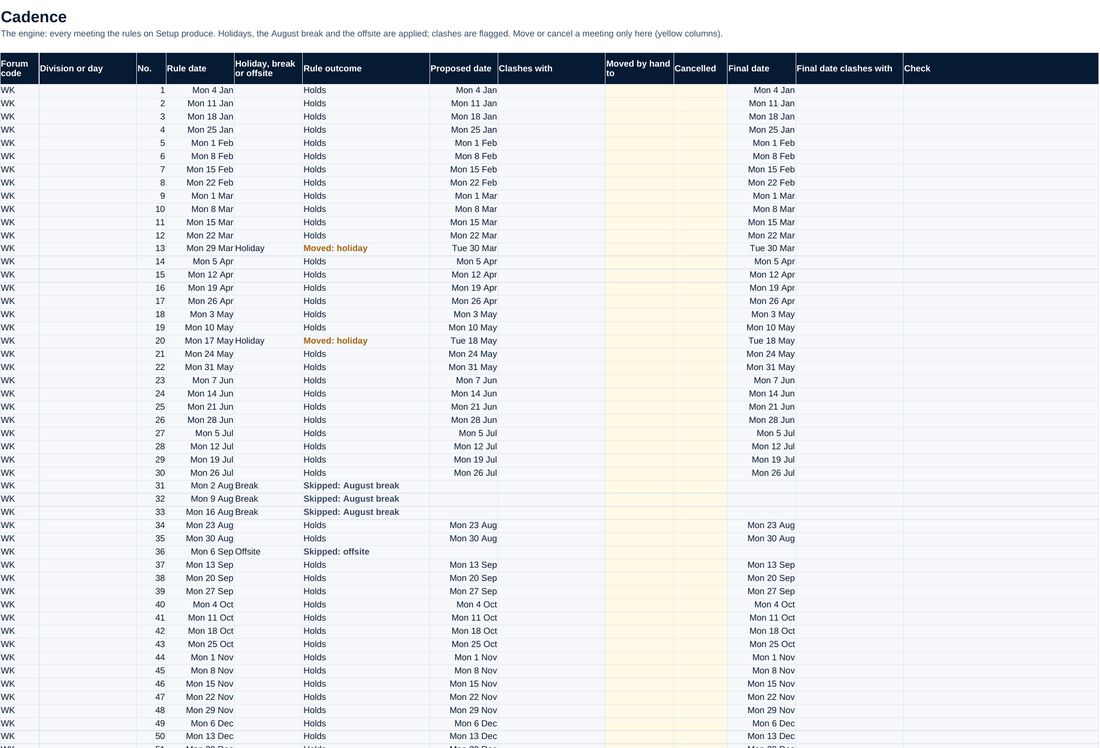
Every meeting of the year generated from its rule, skipped in the August break and the offsite week, moved off holidays and checked for clashes with the board and committees.
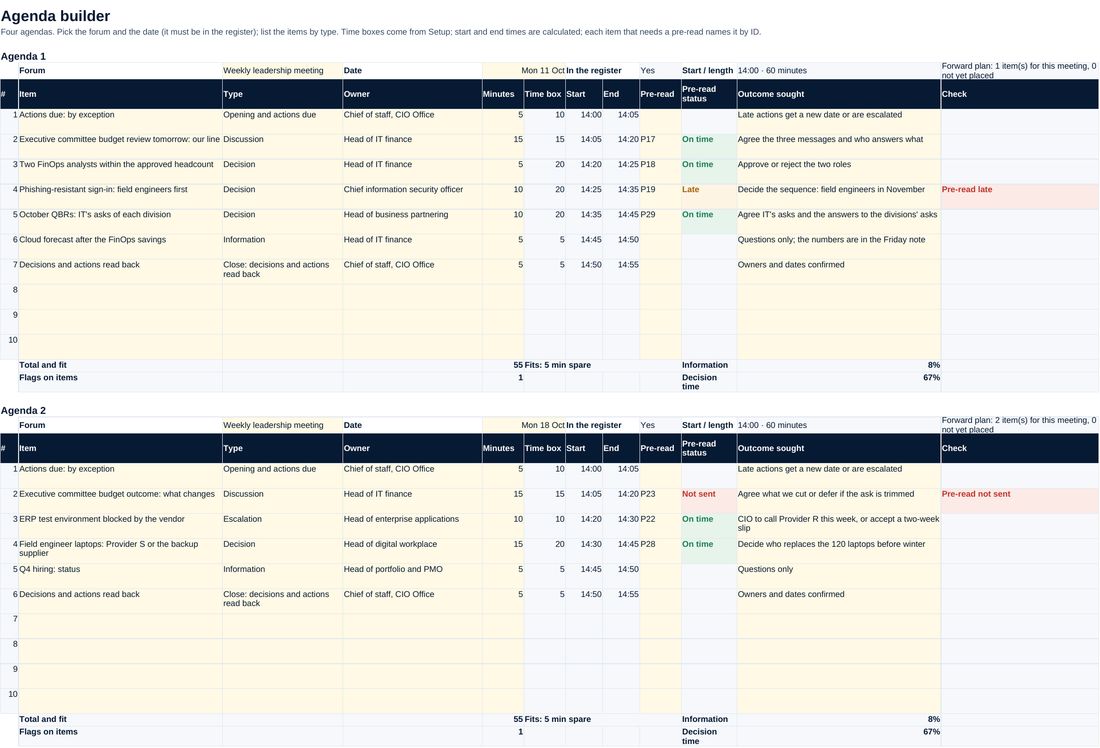
Items with type, owner and pre-read; start times, time boxes, the share on decisions and information, and flags for late pre-reads and overruns.
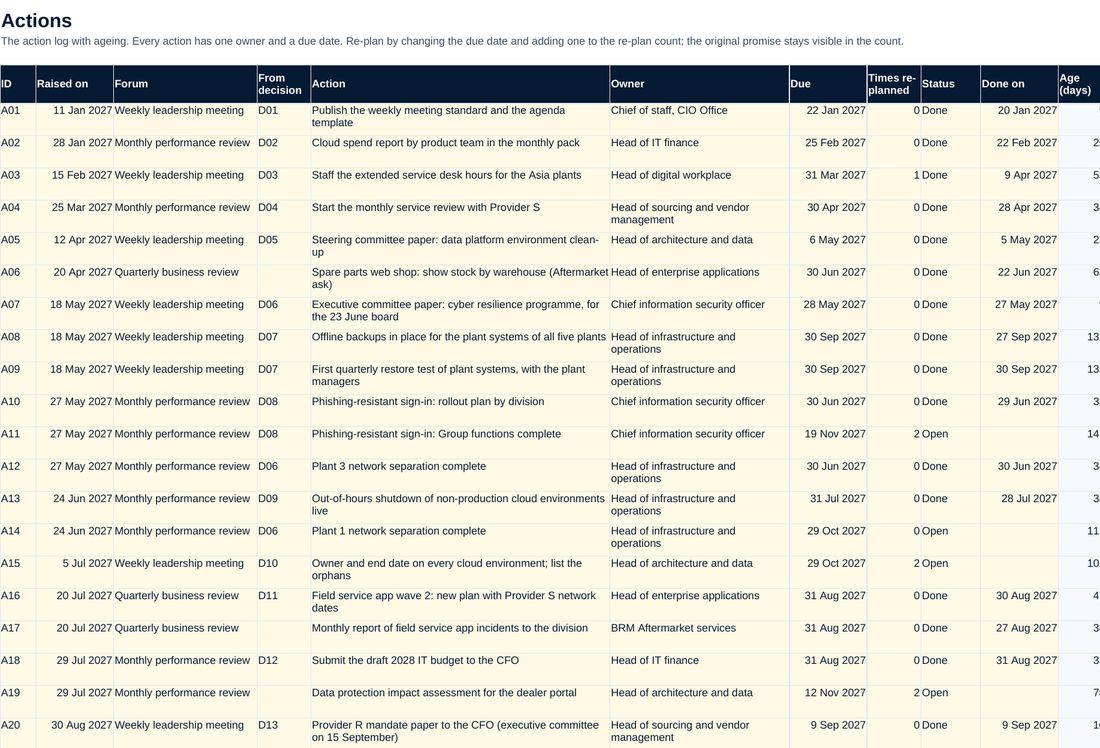
Every action with owner, due date and re-plans; age, days overdue, ageing band and a red status that follows the rules, not the owner.
Screenshots of the workbook with its sample data, opened in a spreadsheet application.
A leadership team that decides in its meetings
The sample IT leadership team at a fictional manufacturer runs 77 meetings in 2027: 47 weekly meetings, 12 monthly performance reviews, 16 QBRs with four divisions and a two-day offsite, about 110 hours of the CIO's time. The calendar skips the August break, the offsite week and the closure week, moves three meetings off holidays and one QBR off a board date. At 15 October, 75% of pre-reads arrived on time against a target of 90%; 14 of 40 actions are open, 4 of them red, and 92% of closed actions were done by their due date. The Aftermarket services QBR scores 50%, with the pilot red until the division names a data owner. After the September offsite the weekly meeting moved information into a Friday note: time on decisions rose from 41% to 68%, and the pulse from 3.4 to 4.0 out of 5.
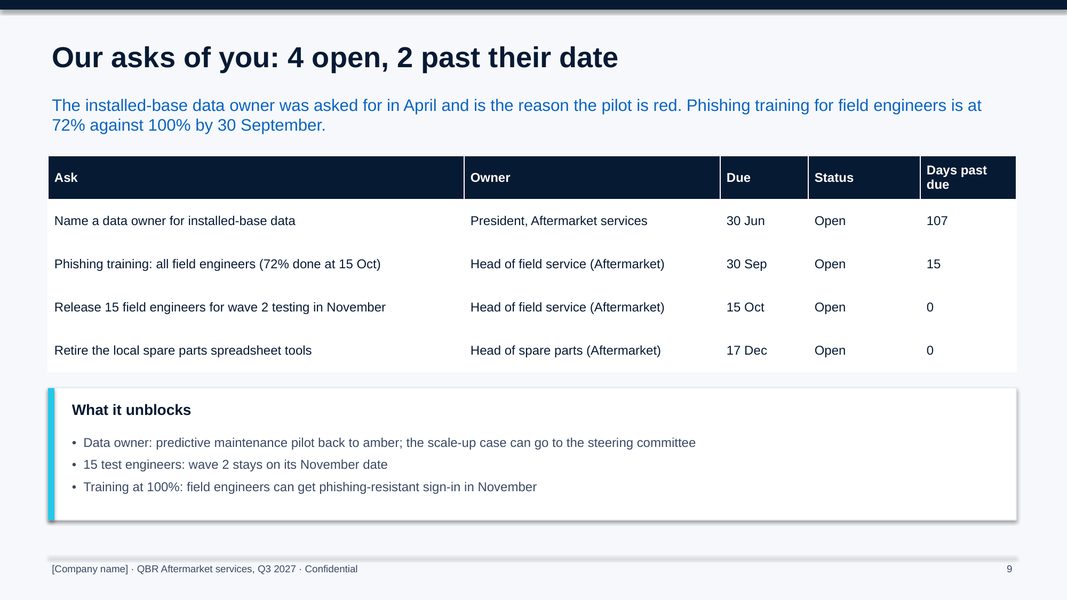
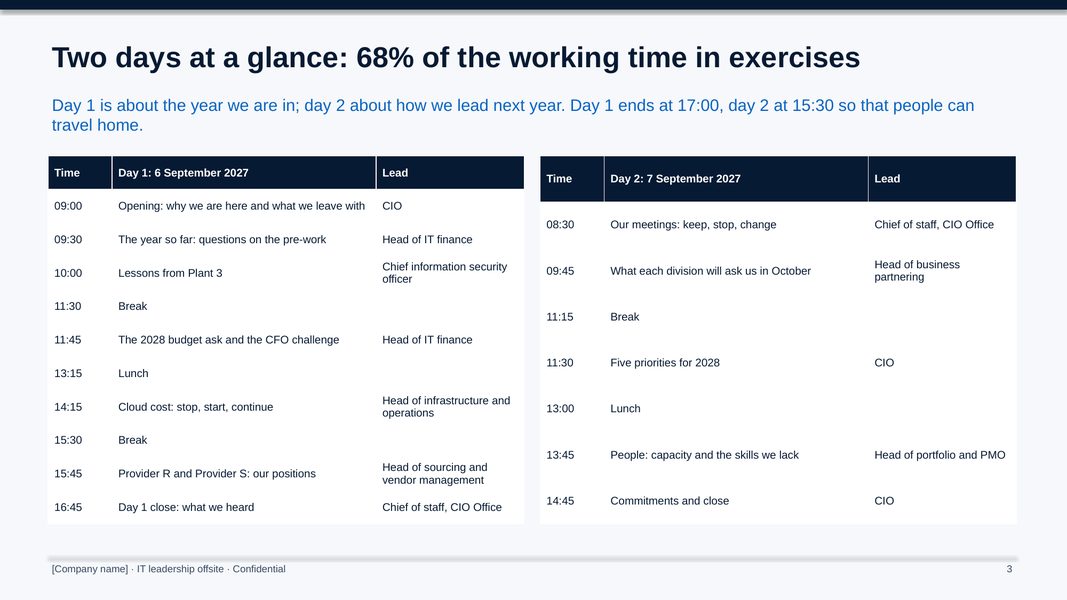
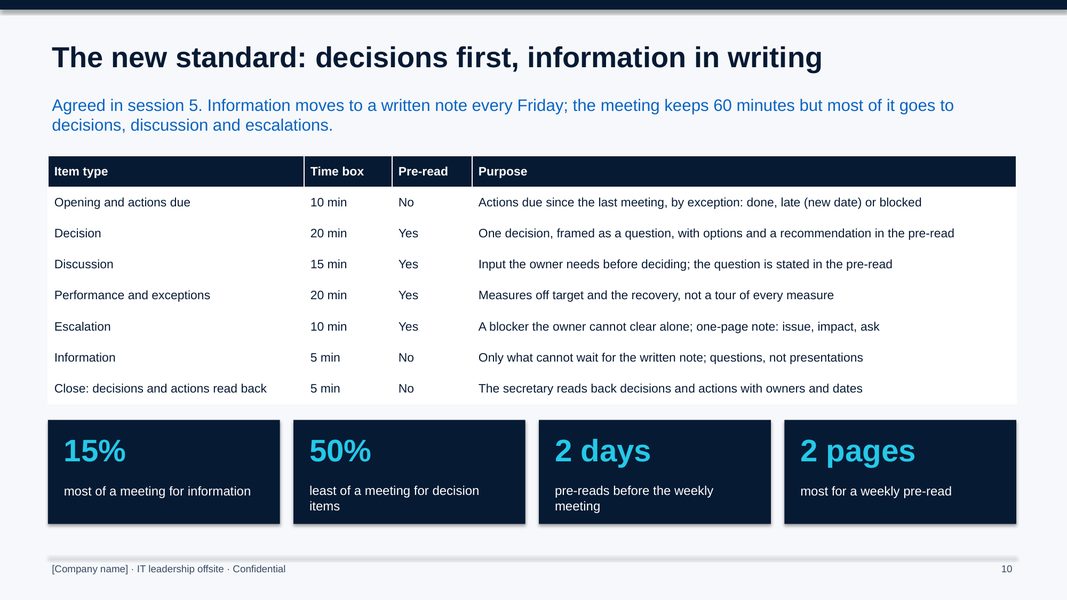
All figures shown are sample data.
The method, step by step
Agree the charter, enter the forums, slot rules, holidays and committee dates; the cadence generates the year and flags clashes.
Book items on the forward plan, build the agenda by Thursday, send pre-reads on time and the Friday note, hold the meeting and log decisions and actions the next day.
Run the monthly review on exceptions only, with a recovery owner and date for every red or amber measure.
Score each division, review the asks both ways and end with owners and dates.
Design the offsite backwards from its outputs, read the pulse and reset the rules.
Who it is for
- CIOs who want their leadership team to decide in its meetings, not report
- Chiefs of staff and CIO office leads who run the agendas, pre-reads and logs
- Heads of business partnering who run QBRs with the divisions
- Advisers helping a new CIO set up the leadership rhythm (one licence per client organisation)
What you need
Excel, PowerPoint and Word, or compatible software. Setting up the calendar and logs takes about a week; running the weekly cycle about two hours a week for the chief of staff.
Free guides on this topic
Questions about the kit
How is it different from the IT Steering Committee Toolkit?
The steering committee decides on funding and the portfolio with the business. This kit runs the IT leadership team's own meetings and its reviews with each division, and sends to the steering committee what is above the team's limit.
How does it connect to the CIO Annual Calendar Kit?
The calendar kit holds the CIO's whole year view, with the public holidays and the August break. This kit owns the dates of the leadership meetings, including every QBR, and the calendar kit copies them.
How does it connect to the CIO KPI Kit and the CIO Dashboard Kit?
Those kits define and display the measures. The monthly review and the QBR scorecards here use them, with status set by thresholds rather than by the owner.
Can I change the meetings or the rules?
Yes. Forums, slot rules, lead times, page limits, time boxes, thresholds and the decision limit are on the Setup sheet, and the calendar and checks follow.
Is the company in the example real?
No. The manufacturer, its divisions and its figures are fictional. Replace them with your own.
How do I get it?
Checkout is run by Creem, our reseller and merchant of record, which also handles tax and your invoice. As soon as the payment is confirmed we email you a private link to download the kit. Not what you expected? Ask within 14 days for a full refund.
Is it legal or financial advice?
No. The templates are practical starting points for management decisions. Have policies and contracts reviewed against the law that applies to your company.
Who can use it?
You and your colleagues, inside your own organisation. Advisers need one licence per client organisation. Please do not resell or republish it.