IT Talent and Upskilling Kit
Most IT training budgets buy courses, not skills. This kit turns them into a plan the strategy can count on: a skills framework of 41 skills at four levels, what to learn to reach each level, five flagship programmes from AI fluency to leading in modern IT, the 70-20-10 mix of learning, and the governance, budget, measures and roadmap to run it. A talent profile for each of the 53 IT roles gives the person and their manager the target profile, the two skills to grow this year, the learning actions and the career moves. It comes with the detailed roles and skills deck, a team skills workbook, editable role profiles, a skills dictionary and a workshop guide, on the same roles, skills and levels as the free play cards.
$89 $45 one-time, no subscription
Excel, PowerPoint and Word files. Yours to use and adapt inside your organisation. Delivered by email at once; 14-day refund promise.
12 files: the plan, a learning path for every role, and the roles and skills toolset
Editable PowerPoint, Excel and Word files, all built on the same 53 roles, 41 skills and four levels as the free IT Roles and Skills play cards. The workbook comes with sample data for a fictional team.
 PowerPoint
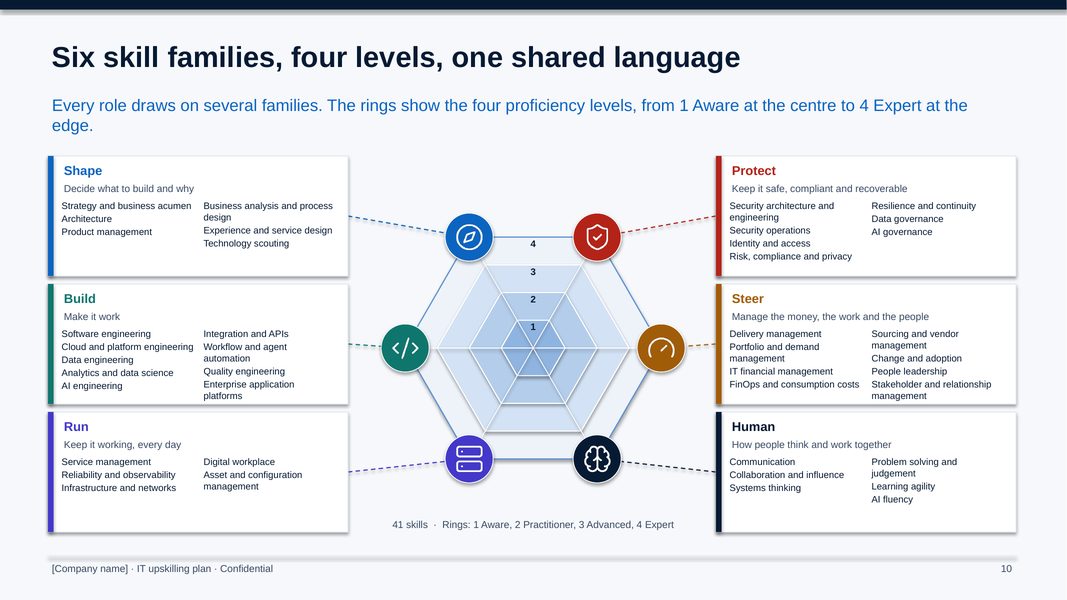
IT upskilling plan
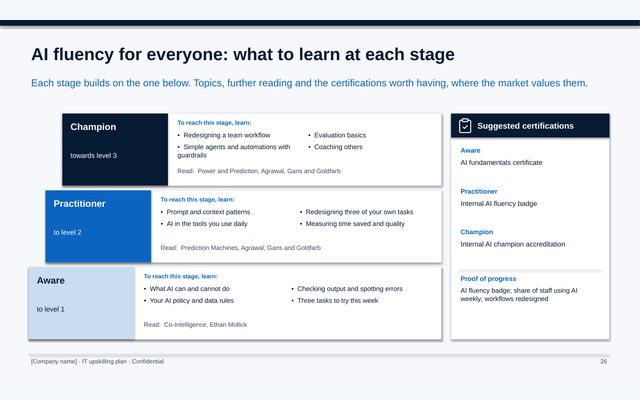
54 slides: why upskill now, the skills framework, where to build talent and where to partner, what to learn at each level, the curriculum for all 41 skills, five flagship programmes with their journey, topics, reading and certifications, the learning ecosystem, assessment, development plans, careers, roles, budget, measures, a twelve-month roadmap and the first 90 days.
 PowerPoint
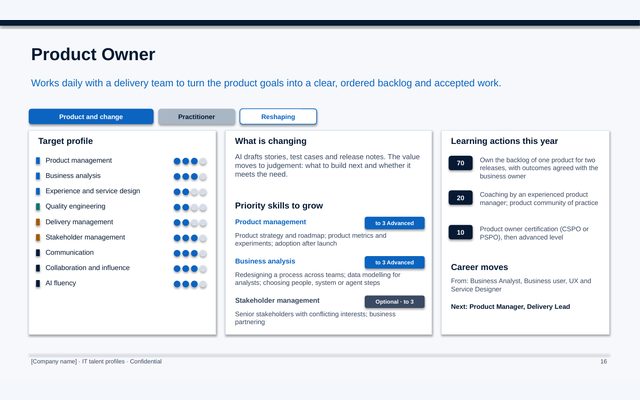
IT talent profiles
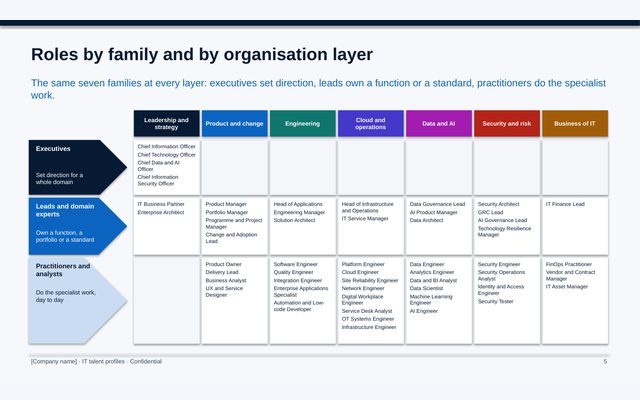
67 slides: one page per role for 53 IT roles, with the target profile, what is changing, the two skills to grow this year with what to learn, a 70-20-10 set of learning actions and the career moves in and out, plus a map of the roles by organisation layer.
 PDF
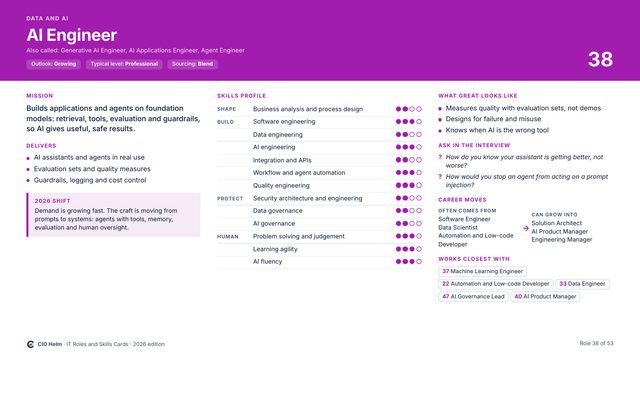
IT roles and skills deck
59 slides at PowerPoint size: the framework, then one slide per role with its mission, three results, skills profile, outlook, how the role is changing, what great looks like, interview questions, career moves and closest partners, and a template for a role you need.
 Excel
IT roles and skills workbook
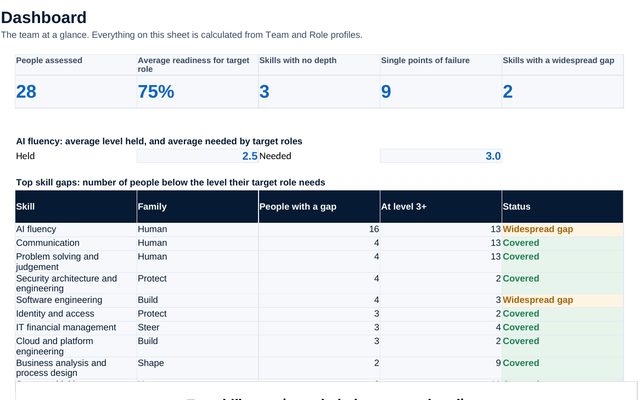
10 sheets: the 53 profiles and 41 skills you can adapt, a team assessment with agreed levels, gaps person by person, coverage skill by skill with single points of failure, a dashboard and a role comparison for career moves.
 Word
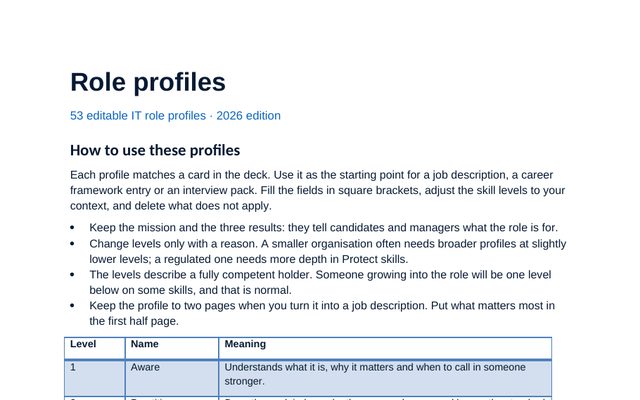
Role profiles (editable)
All 53 roles as editable profiles, ready to turn into job descriptions and interview packs.
 Word
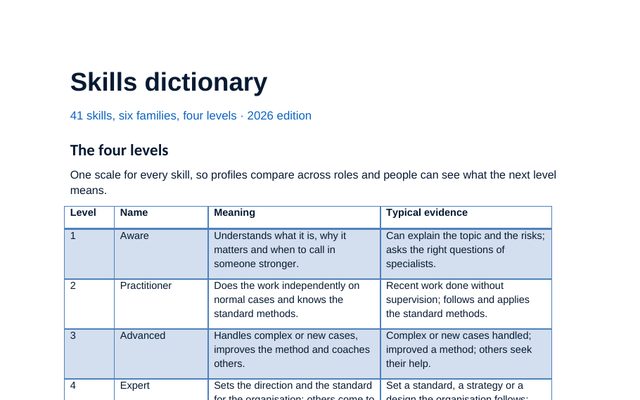
Skills dictionary
Each of the 41 skills defined at levels 2, 3 and 4, and which roles need it at the top levels.
 PowerPoint
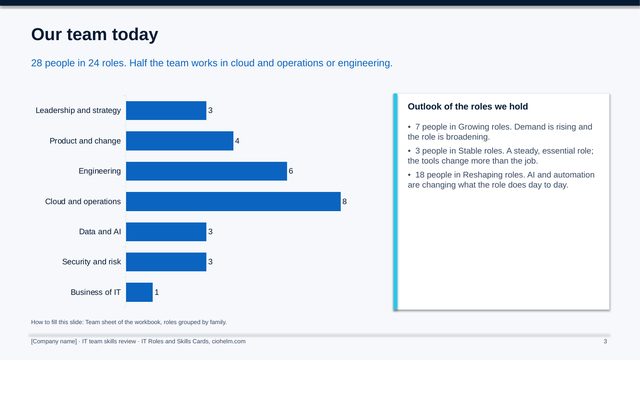
Team skills review deck
10 slides for the leadership team, filled from the workbook: the team today, readiness, where the team is thin, the largest gaps, AI fluency, roles AI is reshaping and the decisions.
 Word
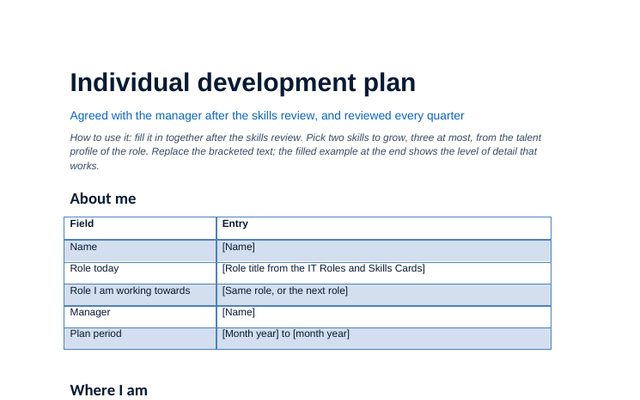
Individual development plan
The development plan template: where the person is, where they are going, how they will get there (70-20-10) and the quarterly check-ins, with a filled example for a cloud engineer.
 Word
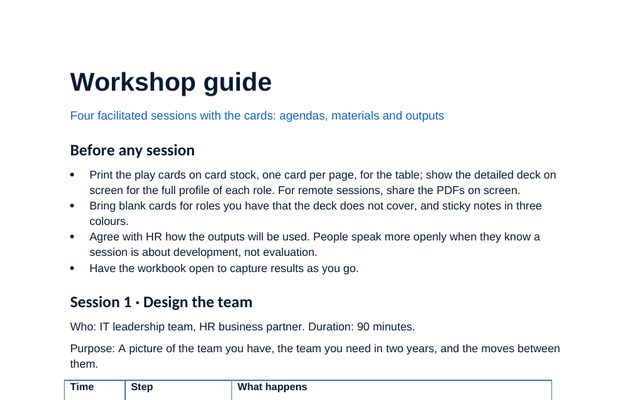
Workshop guide
Four facilitated sessions with timed agendas: design the team, hire with a profile, talk careers, plan for AI.
 Word
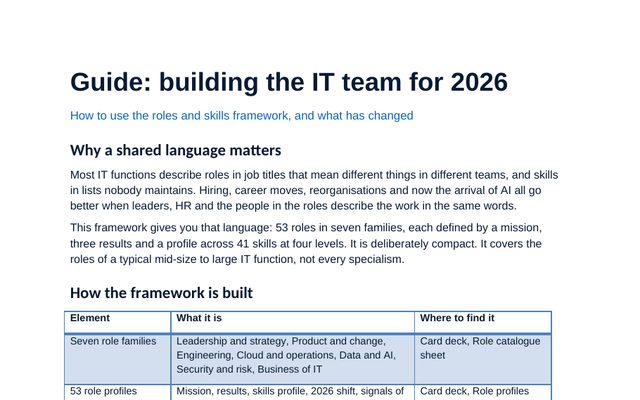
Building the IT team for 2026
How the framework works, the six shifts behind this edition, how to adapt it, and the mistakes to avoid.
 PDF
IT upskilling plan, print version
The plan as a PDF to read on screen or send ahead of a leadership meeting.
 PDF
IT talent profiles, print version
Every role page as a PDF to share with managers and their teams.
The team skills workbook, sheet by sheet
Record the levels you agree with each person, and the workbook shows readiness for their target role, gaps, and the skills that rest on one person. Click any image to see it full size.
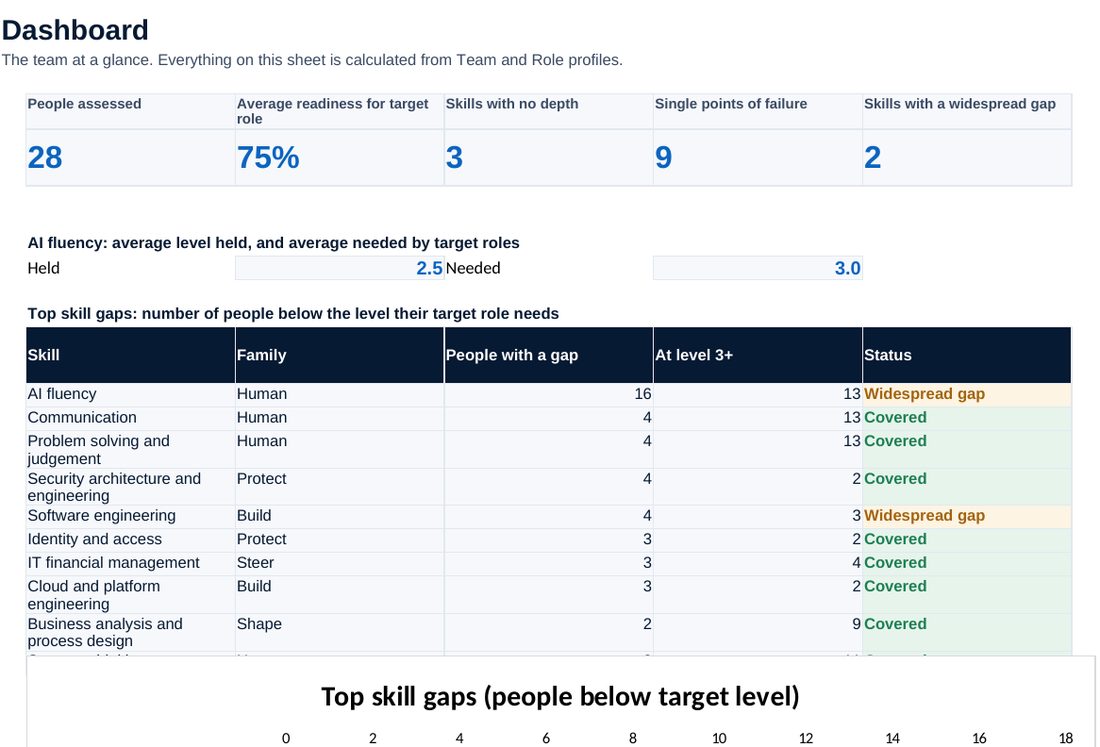
Readiness, single points of failure, AI fluency held and needed, and the top skill gaps.
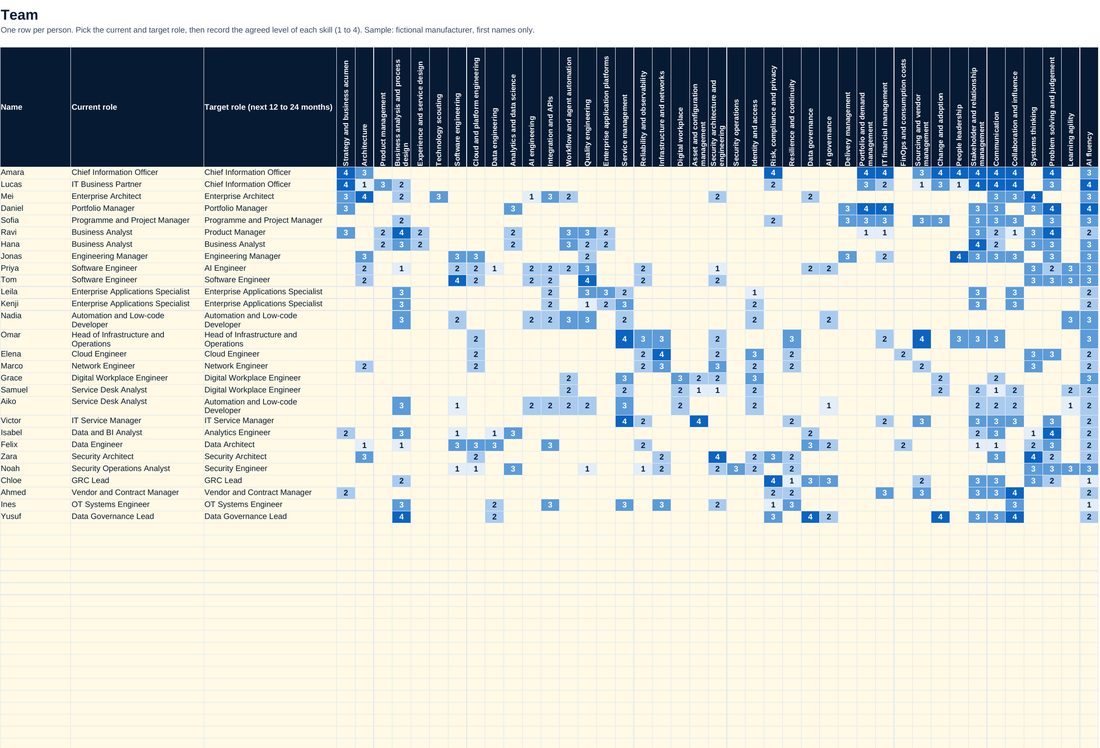
One row per person: current and target role, and the agreed level of each skill.
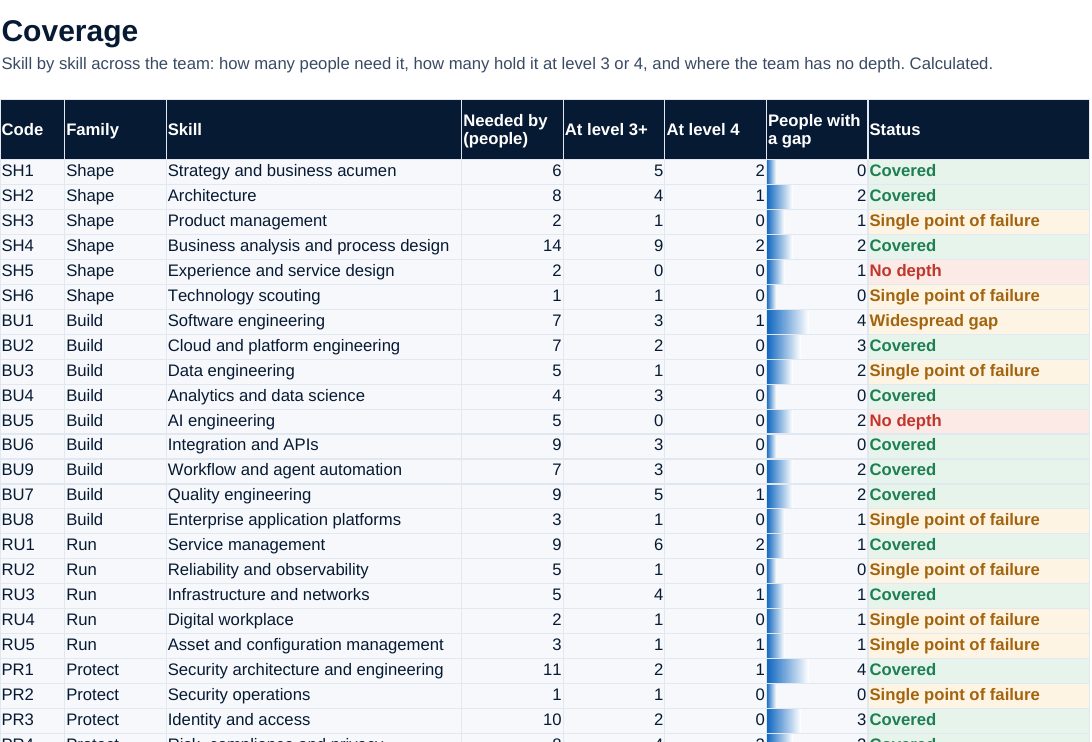
Skill by skill: who needs it, who holds it at depth, and where the team is thin.
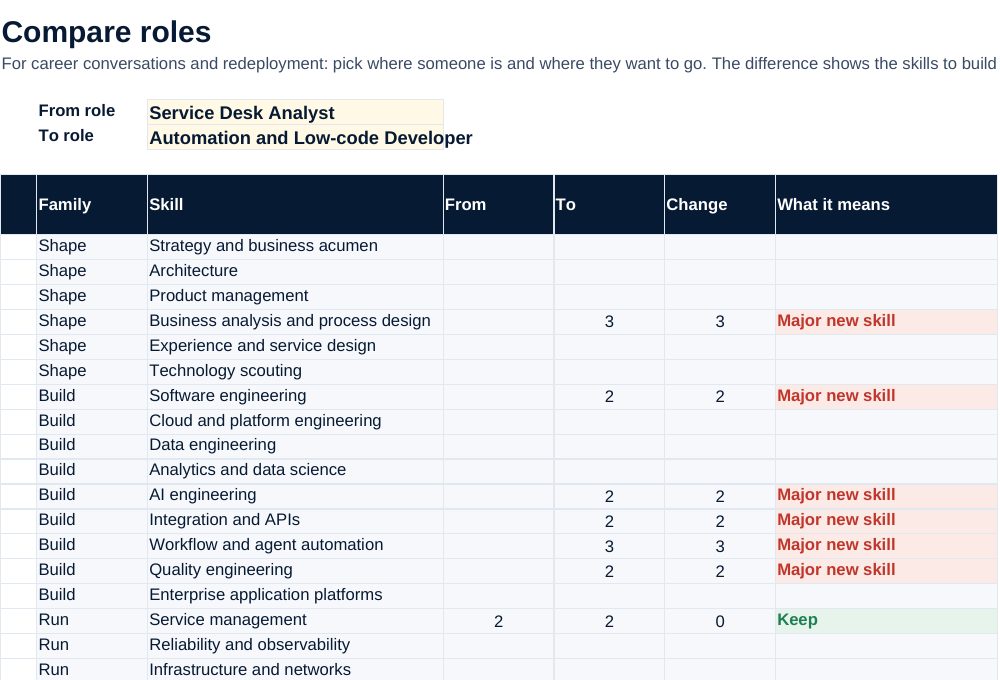
Pick two roles and see the skills to build for a career move.
Screenshots of the workbook with its sample data, opened in a spreadsheet application.
From a training budget to a skills plan
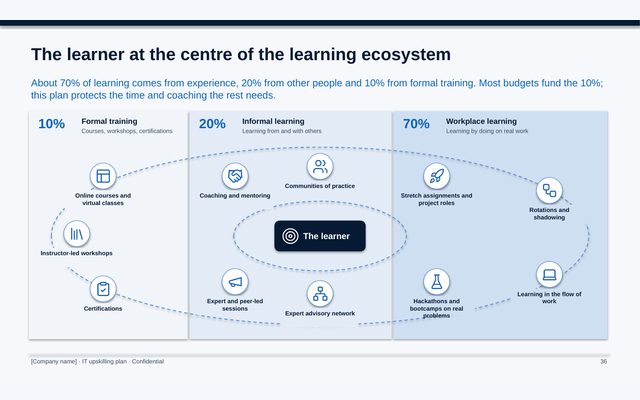
The plan starts from sourcing: grow deep skills in-house where the work is strategic and complex, build a core and borrow the rest in delivery, and automate or partner repeatable work. Five cohort programmes cover the needs most IT teams share, each with an aim, a from-and-to and the practice that proves it. Most learning then happens on real work: the ecosystem puts the learner at the centre of experience, people and formal training, and each role page turns it into two skills and three actions for the year.
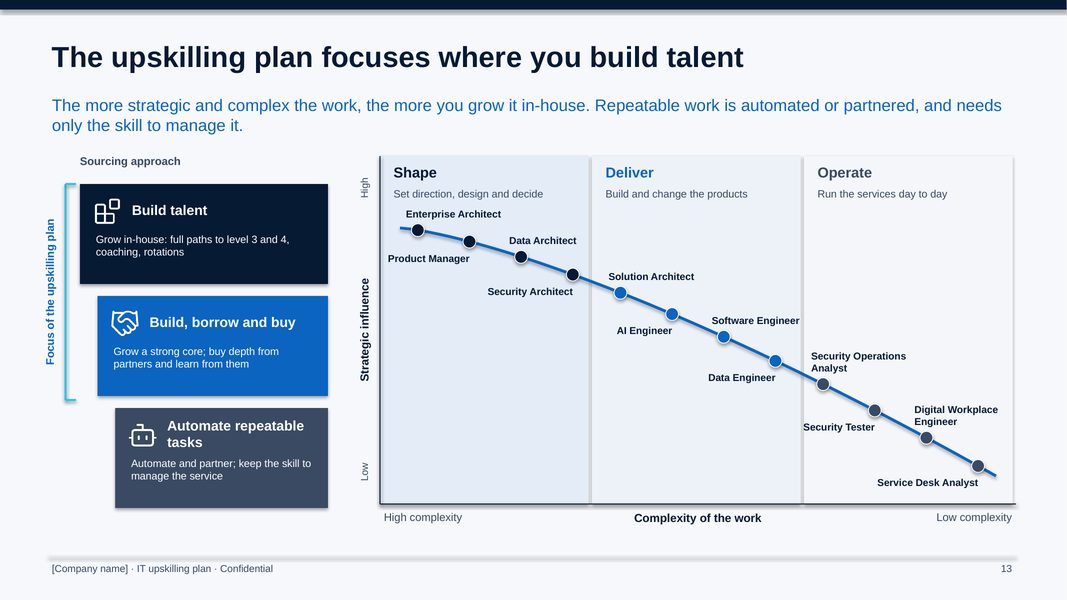
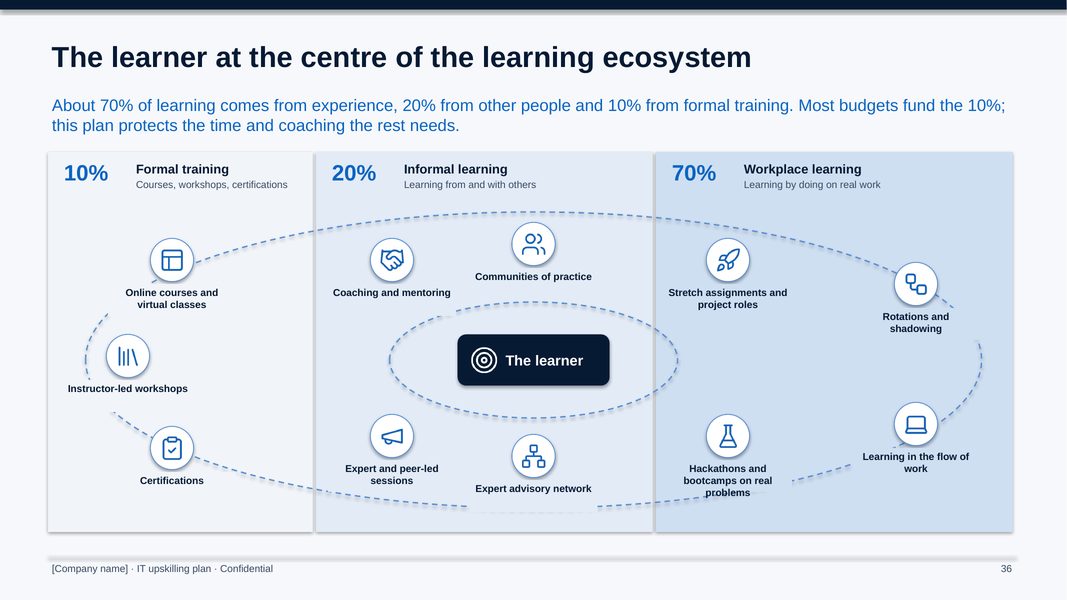
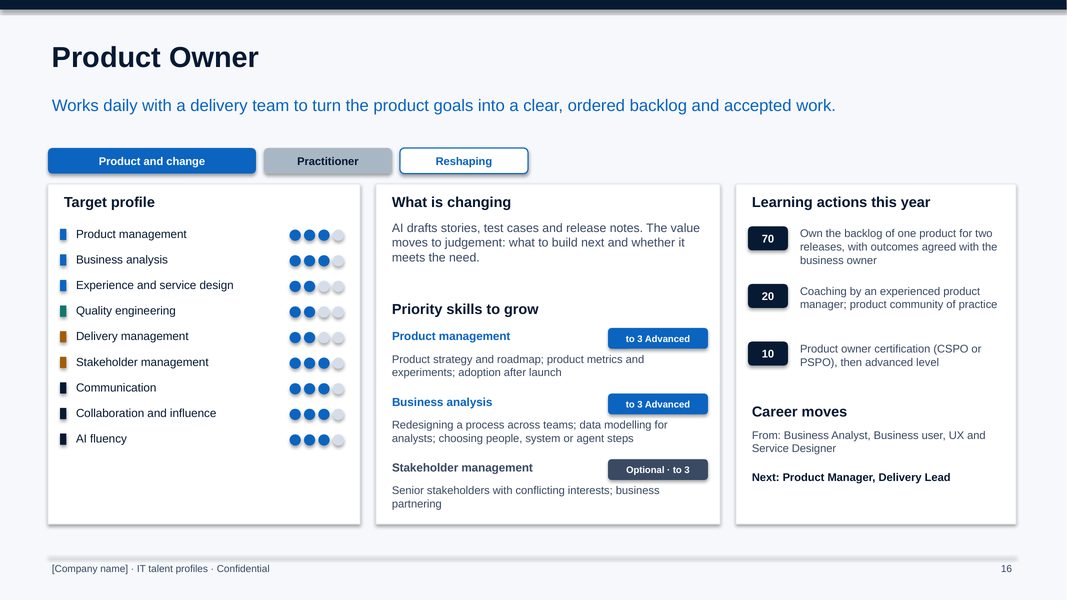
All figures shown are sample data.
The method, step by step
Run the skills review with the cards and the workbook, agree the priority skills and pick the programmes.
Agree a development plan with every person from their talent profile, set the budget and protect the time.
Run the flagship programmes as cohorts, with practice on real work, coaching and communities.
Review levels with evidence, report the measures and reset the plan for year 2.
Who it is for
- CIOs and IT leadership teams turning a training budget into the skills the strategy needs
- HR and learning partners who support the IT function
- Managers writing development plans and talking careers with their teams
- Advisers running a skills or organisation review (one licence per client organisation)
What you need
PowerPoint, Excel and Word, or compatible software. Print the free play cards for the workshops. A first team skills review takes about a month.
Free guides on this topic
Questions about the kit
How does it work with the free IT Roles and Skills play cards?
The play cards put the 53 roles on the table for team workshops. This kit holds everything to act on them: the detailed deck, the workbook that shows where the team stands, the learning path of each role and the plan the organisation runs. Same roles, skills and levels.
Does it name training providers?
No. It describes provider types and well-known books, and gives certifications as examples. Add your own providers, internal courses and programme owners.
Can we change the roles and programmes?
Yes. Every slide is editable, with speaker notes on how to use it. Rename roles, change target levels, swap a programme and replace the example actions with real projects and coaches.
Is it based on a real company?
No. It is a generic plan built from many years of IT leadership practice, with no client or employer material.
How do I get it?
Checkout is run by Creem, our reseller and merchant of record, which also handles tax and your invoice. As soon as the payment is confirmed we email you a private link to download the kit. Not what you expected? Ask within 14 days for a full refund.
Is it legal or financial advice?
No. The templates are practical starting points for management decisions. Have policies and contracts reviewed against the law that applies to your company.
Who can use it?
You and your colleagues, inside your own organisation. Advisers need one licence per client organisation. Please do not resell or republish it.